Limited-time offer
Save up to 70% + 3 months free
30-day money-back guarantee. Cancel anytime.
What a VPN actually does (in plain English)
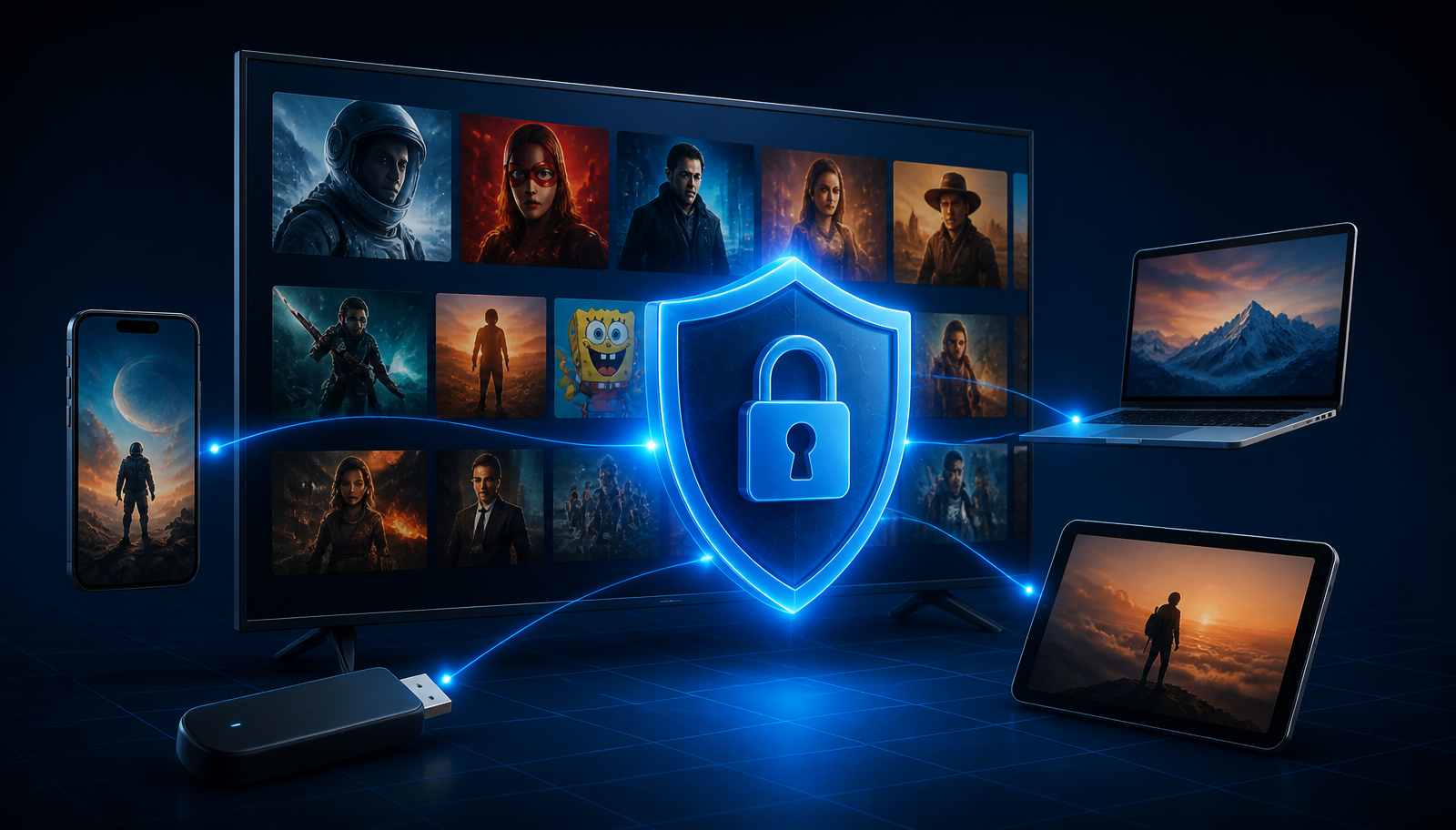
A VPN is an encrypted tunnel between your device and a server run by the VPN provider. Every request your device makes — Netflix, Google, banking apps, background updates — travels through that tunnel before it reaches the wider internet. Two things happen as a result. First, your real IP address is replaced with the server's IP, so the website you're visiting sees the VPN's location, not yours. Second, everything inside the tunnel is scrambled with AES-256 encryption, which is the same standard used by governments and banks. Your ISP, your workplace, and anyone snooping on café Wi-Fi see only an unreadable stream of data.
For streaming, this matters for two reasons: (1) Netflix serves catalogs based on the IP address it sees, so a US IP delivers the US library, a UK IP delivers the UK library, and so on. (2) On public or untrusted Wi-Fi, a VPN keeps someone with a laptop and packet sniffer from watching what you watch. It's not magic — Netflix actively detects and blocks known VPN IP ranges — but a premium provider constantly rotates fresh addresses to stay ahead of those blocks.
Why people use a VPN with Netflix
Access their home library while traveling
Your paid Netflix account switches to the local catalog the moment you land abroad. A VPN puts you back in your home region so 'Suits', 'The Office' or 'Peaky Blinders' don't vanish mid-season.
Explore other countries' libraries
The US catalog has the most titles, the UK has strong BBC content, and Japan has anime exclusives. See our <a href="/blog/best-vpn-for-streaming-2026">best VPN for streaming</a> guide for a full breakdown.
Privacy from ISPs and networks
Some ISPs sell anonymized browsing data or throttle video traffic during peak hours. A VPN encrypts everything so no one on the path can profile your viewing.
Safe streaming on hotel and café Wi-Fi
Public hotspots are a well-documented attack surface. Our <a href="/blog/public-wifi-safety-vpn-guide">public Wi-Fi safety guide</a> covers the full risk model.
Bypass ISP throttling
Some ISPs slow streaming services during peak hours. Encrypted VPN traffic is opaque to them, which often restores full speed on high-quality providers.
Important expectations (please read this before you buy)
No VPN — not one — can guarantee unblocking a specific title, region, or streaming service on a specific day. Netflix invests significant engineering into detecting datacenter IP ranges, and the cat-and-mouse game between streamers and VPN providers is constant. A great provider wins most of the time; even the best one occasionally serves the dreaded proxy error (code M7111). When that happens, the fix is almost always to switch to a different server in the same country — not to switch providers.
It's also worth being clear on legality: using a VPN is legal in the US, UK, EU, Canada, Australia and most other places. It technically violates Netflix's Terms of Service, but no user in Netflix's history has ever been banned, fined, or had an account closed for using one. If you want the full picture, see our country-by-country VPN legality guide.
How to choose the right VPN for Netflix
Any VPN can encrypt traffic. Only a small handful reliably work with Netflix across multiple regions and stream 4K without buffering. When you're evaluating providers, look for these signals:
Consistent Netflix unblocking across regions
Look for independent, recent tests confirming US, UK, JP, CA and EU libraries. Marketing pages don't count.
A modern, fast protocol
WireGuard-based protocols (NordLynx, WireGuard, Lightway) are dramatically faster than legacy OpenVPN for 4K streaming.
Audited no-logs policy
The provider should have submitted to at least one independent audit by a Big Four firm (PwC, Deloitte). See our <a href="/blog/online-privacy-guide-2026">privacy guide</a> for why logging policies matter.
6,000+ servers in 60+ countries
Fewer servers means more crowding and higher chances of a flagged IP. Bigger networks rotate fresh IPs faster.
Kill switch on every platform
If the VPN drops, the kill switch blocks all traffic so your real IP never leaks to Netflix or anyone else.
Smart DNS for streaming devices
The single most important feature for smart TVs and consoles that don't accept full VPN apps.
Native apps for every device you own
Windows, macOS, iOS, Android, Android TV, Fire TV, Apple tvOS 17+ — you want a real app, not a manual config file.
6+ simultaneous connections
One subscription should cover your whole household — laptop, phone, tablet, TV, partner's devices.
Limited-time offer
Save up to 70% + 3 months free
30-day money-back guarantee. Cancel anytime.
Why NordVPN is our recommendation
We've tested every major provider on the market, and NordVPN is the one we keep on all our devices — not because it's paying us to say so (it isn't), but because it clears every box above and then some. It runs on 6,000+ servers across 60+ countries, uses the WireGuard-based NordLynx protocol for near-native download speeds, and encrypts everything with AES-256 — the same cipher NSA-certified equipment uses for top-secret data.
Under the hood, NordVPN operates a 100% RAM-only server fleet (nothing can be written to disk), enforces a strict no-logs policy that has been independently audited four times by PwC and Deloitte, and is headquartered in Panama — outside every 5/9/14 Eyes intelligence-sharing agreement. The Kill Switch blocks traffic instantly if the tunnel drops, and Threat Protection Pro filters malware, trackers and malicious ads system-wide, even when you're not connected to a server.
For Netflix specifically, three details push it ahead of the pack: aggressive IP rotation keeps most servers unblocked, SmartDNS (SmartPlay) works on smart TVs that don't support VPN apps, and speeds are fast enough that 4K streams look identical to your direct connection.
Limited-time offer
Save up to 70% + 3 months free
30-day money-back guarantee. Cancel anytime.
The universal 5-step method (works on every device)
1. Subscribe to NordVPN
Grab the current promotion — up to 70% off with three months free — through the button above. A single plan covers up to ten devices at once.
2. Install the app for your device
NordVPN has native apps for Windows, macOS, iOS, Android, Android TV, Fire TV, Apple TV (tvOS 17+), Linux, and popular routers. Detailed instructions per device are below.
3. Sign in
Use the email and password you created at checkout. On TV apps, NordVPN offers a login-by-code option so you don't have to type a long password with a remote.
4. Connect to the country whose library you want
Want the US catalog? Pick a US server. Want the UK catalog? Pick a UK server. Quick Connect will always choose the fastest server in your current country — for Netflix, choose the country manually.
5. Open Netflix and refresh
Log into Netflix as normal. The catalog switches automatically. If you see the proxy error (M7111), disconnect and try another city in the same country. Nine times out of ten, the second server works.
Setting up a VPN on Windows
Windows 10 and Windows 11 are the easiest platforms to set up. NordVPN's Windows app is a signed installer available directly from nordvpn.com or the Microsoft Store.
1. Download the installer
From your NordVPN account dashboard, click 'Downloads' → 'Windows'. The installer is ~30 MB.
2. Run the installer
Accept the UAC prompt and let the wizard finish. It takes under a minute.
3. Sign in
Open the app and log in with your NordVPN credentials.
4. Enable Kill Switch
Settings → Kill Switch → Internet Kill Switch ON. This prevents Windows from leaking traffic outside the tunnel.
5. Enable Threat Protection Pro
Blocks malicious sites, trackers and infected ads system-wide — one of the best malware layers on any OS.
6. Connect and stream
Click a country on the map or search it in the sidebar. Open Netflix in your browser or the Netflix Windows app, and enjoy.
Setting up a VPN on macOS
On macOS, you have two versions of the NordVPN app: the App Store version (uses Apple's IKEv2 framework) and the direct-download version (supports NordLynx/WireGuard). For Netflix streaming, download the version directly from nordvpn.com — NordLynx is significantly faster.
1. Download from nordvpn.com/download/mac
Choose the standalone version (not the App Store one) for the fastest protocol.
2. Drag NordVPN into Applications
Standard macOS install.
3. Grant network extension permission
macOS will prompt once. Approve it in System Settings → Privacy & Security so the VPN tunnel can be established.
4. Sign in and pick NordLynx
Preferences → Connection → VPN Protocol → NordLynx.
5. Turn on the Kill Switch
System-wide, so Safari can't slip a request outside the tunnel while the VPN reconnects.
6. Connect and open Netflix
Netflix works in Safari, Chrome, and the official Netflix macOS app (macOS Sonoma+).
Setting up a VPN on iPhone and iPad (iOS)
iOS is the easiest platform of all — Apple's VPN framework handles everything. Detailed device tips live in our iPhone VPN guide.
1. Install NordVPN from the App Store
Search 'NordVPN' — it's free to download once you have a subscription.
2. Sign in
Use the credentials from your account.
3. Approve the VPN configuration prompt
iOS asks once, then remembers forever.
4. Enable Auto-Connect on untrusted Wi-Fi
Settings → Auto-Connect → 'On untrusted Wi-Fi'. Zero-touch protection every time you join a new hotspot.
5. Enable Threat Protection Lite
Blocks tracker and malware domains at the DNS level — a battery-friendly protection layer.
6. Tap Quick Connect or choose a country
Then launch the Netflix iOS app. Done.
Setting up a VPN on Android phones and tablets
Android's flexibility means you can install NordVPN either through Google Play or as a sideloaded APK from nordvpn.com — both work identically. Play Store is easier; APK is useful if you're in a country where NordVPN has been removed from the local Play Store.
1. Install from Google Play
Search 'NordVPN' and install.
2. Sign in
Standard email/password login.
3. Approve the VPN connection request
Android shows a one-time prompt confirming you trust NordVPN to route your traffic.
4. Turn on the Kill Switch
Two layers exist: NordVPN's own kill switch and Android's system-level 'Always-on VPN' + 'Block connections without VPN' in Settings → Network → VPN. Enable both for defence in depth.
5. Pick a server
Country selection is the same as every other platform.
6. Open the Netflix app
Streams work in the app and in Chrome.
Setting up a VPN on a Smart TV (Samsung, LG, Sony)
Most Samsung Tizen and LG webOS smart TVs don't accept VPN apps directly. You have two proven options:
Option A — SmartDNS (recommended for beginners)
In your NordVPN dashboard, activate SmartPlay/SmartDNS. Then in your TV's network settings, replace the DNS server with the addresses NordVPN provides. Every device on your Wi-Fi gets the unblocked catalog. Downside: no encryption, only region change.
Option B — Install NordVPN on your Wi-Fi router
One subscription then protects every device on the network — TVs, consoles, IoT gear. NordVPN publishes tutorials for Asus, Netgear, TP-Link, GL.iNet and DD-WRT routers. This is the most powerful setup but takes 20–30 minutes to configure.
Option C — Screen-mirror from a phone/laptop
Connect the VPN on your phone or laptop and cast Netflix to your TV using Chromecast, AirPlay, or Miracast. Cheap, quick, works with any TV.
Setting up a VPN on Amazon Fire TV / Fire Stick
Fire TV runs a fork of Android, so a full-featured NordVPN app is available directly in the Amazon Appstore.
1. From Fire TV home, search 'NordVPN'
Install the official app (green shield icon).
2. Log in using the on-screen 6-digit code
NordVPN generates a code — visit nordvpn.com/tv on your phone, enter the code, and you're authorized. No painful remote typing.
3. Connect to a server
Big-button UI designed for remote navigation.
4. Launch Netflix
Streams in up to 4K on Fire TV Stick 4K Max models.
5. Enable Auto-Connect on startup
Settings → Auto-Connect. Every time you turn the TV on, the VPN activates automatically.
Setting up a VPN on Android TV / Google TV (Chromecast with Google TV, Sony TVs, NVIDIA Shield)
Android TV and Google TV devices install NordVPN directly from the Play Store — the flow is identical to a phone.
1. Open the Google Play Store on your TV
Search 'NordVPN' and install.
2. Log in with the on-screen code
Same code-based flow as Fire TV — avoids typing on a remote.
3. Approve the VPN prompt
Android TV asks once, same as a phone.
4. Connect and open Netflix
NVIDIA Shield users get the best speeds thanks to hardware acceleration.
Setting up a VPN on Apple TV (tvOS 17+)
This is a genuinely new capability. Until tvOS 17 (released late 2023), Apple TV had no VPN app support at all — SmartDNS or router-level VPN were the only options. Apple TV 4K owners running tvOS 17 or later can now install NordVPN natively.
1. Update to tvOS 17 or later
Settings → System → Software Updates. Required.
2. Install NordVPN from the tvOS App Store
Search 'NordVPN'.
3. Sign in via QR code or on-screen code
Point your phone camera at the code — one tap and you're logged in.
4. Approve the VPN configuration in Settings
One-time prompt from tvOS.
5. Connect and open Netflix
Netflix's tvOS app respects the VPN automatically.
If you have an older Apple TV (HD or pre-tvOS 17)
Use SmartDNS on your Wi-Fi router or install NordVPN at the router level. Screen mirroring from an iPhone connected to the VPN also works.
Limited-time offer
Save up to 70% + 3 months free
30-day money-back guarantee. Cancel anytime.
Setting up NordVPN on a router (advanced)
Router-level VPN is the most powerful setup: every device on your Wi-Fi is protected automatically, and it counts as one connection out of your NordVPN allowance. It's especially useful for game consoles (Xbox, PlayStation, Switch) that don't run VPN apps.
1. Check compatibility
Not every router supports VPN client mode. NordVPN's site lists tested models — Asus (AsusWRT-Merlin), Netgear (Nighthawk), TP-Link (Archer), and GL.iNet 'travel' routers are the friendliest.
2. Follow NordVPN's per-model tutorial
The nordvpn.com/tutorials page has screenshot-by-screenshot guides for every supported firmware.
3. Choose OpenVPN or WireGuard
Newer firmware supports WireGuard directly — significantly faster than OpenVPN for streaming.
4. Test with 'What's My IP?'
Visit an IP-check site from any device on your network to confirm you're connecting from the correct country.
Troubleshooting: fixing the Netflix proxy error and other common issues
'You seem to be using an unblocker or proxy' (M7111-5059)
The single most common issue. Fix: disconnect, pick a different city in the same country, reconnect, refresh Netflix. Nine times out of ten the second server works. If not, try the third.
Netflix loads the wrong country's catalog
Check the address bar — Netflix caches your last region for a few minutes. Sign out, close all Netflix tabs, reconnect the VPN, sign back in.
Slow speeds or buffering
Switch to the NordLynx (WireGuard) protocol in Settings. Pick a server geographically closer to you. Restart your router.
VPN keeps disconnecting
Enable Auto-Connect and Kill Switch. On mobile, disable battery optimization for the NordVPN app (Android Settings → Apps → NordVPN → Battery → Unrestricted).
Netflix works in the browser but not the app
Force-quit the Netflix app and clear its cache. On Fire TV: Settings → Applications → Netflix → Clear Cache. This forces the app to re-detect your region.
Smart TV won't accept SmartDNS
Some ISP routers override DNS settings. Set the DNS on your router, not on the TV, so every device inherits it.
Netflix says 'Whoops, something went wrong' with no error code
Your device is likely still logged into a Netflix account tied to the wrong region. Sign out, connect the VPN, sign back in — the account will refresh to the new region.
Kill Switch is blocking all internet
That's the kill switch working correctly — the VPN dropped and blocked your traffic to prevent leaks. Reconnect the VPN, or temporarily toggle the kill switch off in Settings.
Security and privacy benefits beyond streaming
The reason to install a VPN once and leave it running isn't Netflix — it's everything else it protects at the same time. Encrypted traffic hides your browsing from your ISP, from your workplace, and from anyone on the same public Wi-Fi. Your real IP address stays hidden from every website, advertiser and tracker you interact with. On mobile, apps can no longer harvest your precise geolocation from an unprotected IP lookup. And Threat Protection Pro blocks malicious sites, drive-by malware and cookie trackers at the DNS layer — protection that survives even when the VPN tunnel isn't active.
None of this replaces good password hygiene, a password manager, or two-factor authentication — but combined with those tools, a VPN closes the last gap in a normal person's threat model. Our 2026 privacy guide covers the full stack.
Pros and cons of using a VPN for Netflix
Pro — Access more content with your existing subscription
No extra Netflix account required. The catalog changes based on your VPN location, but your account and Watch List stay the same.
Pro — Full traffic encryption
Streaming, browsing, banking, apps — everything is AES-256 encrypted, not just Netflix.
Pro — Privacy from ISP and network snooping
Your ISP can no longer log which shows you watch, and public Wi-Fi becomes safe to stream on.
Pro — One subscription, every device
NordVPN covers up to 10 devices simultaneously — phone, laptop, TV, tablet, partner's devices.
Con — Occasional server rotation needed
Netflix does block flagged VPN IPs. Expect to change server 5–10% of the time.
Con — Small speed cost
Even the fastest VPN adds 5–10% latency vs your direct connection. Rarely noticeable for streaming, but real.
Con — Free VPNs don't work with Netflix
Their IP ranges are blocked within days of launch and they lack the infrastructure to rotate fresh addresses. See our <a href="/blog/free-vs-paid-vpn">free vs paid VPN comparison</a>.
Con — Some smart TVs need a workaround
Older TVs without VPN app support need SmartDNS or router-level setup — takes 10–30 extra minutes once.
Expert tips from years of streaming with a VPN
Use NordLynx, not OpenVPN, for Netflix
OpenVPN is more compatible but 30–50% slower. NordLynx (WireGuard) is the correct choice for 4K streaming on every modern device.
Save your favorite Netflix servers
Once you find a US server that works, right-click and 'Save to Favorites' in the NordVPN app. Saves time on future connections.
Enable IPv6 leak protection
Some ISPs assign both IPv4 and IPv6 addresses. Without IPv6 leak protection, Netflix can still see your real IPv6 address. NordVPN blocks this by default — verify it in Settings.
Use Meshnet for household streaming
NordVPN's Meshnet feature lets you route Netflix traffic through another device you own — useful if one of your devices already has a proven-working IP.
Keep the app updated
Netflix and NordVPN are in a constant back-and-forth. Every app update ships fresh IP ranges.
Test with 'What's My IP?' before opening Netflix
Confirms your VPN is really routing traffic through the country you picked, not silently disconnected.
Common mistakes to avoid
Using a free VPN with Netflix
Free VPNs sell your bandwidth, inject trackers, and get blocked by Netflix within days. Never worth it.
Forgetting to disable the VPN for local services
If your bank flags foreign-country logins, use NordVPN's split-tunneling to route the bank app outside the VPN.
Assuming every server works everywhere
Server 2445 might unblock US Netflix today and be flagged tomorrow. Learn to rotate — it's part of using any VPN.
Skipping the Kill Switch
Without it, a dropped tunnel silently exposes your real IP. Always on. Every device.
Buying month-to-month
The 2-year plan is roughly 70% cheaper. Since you're going to leave it installed forever anyway, take the discount.
Final summary — is it worth using a VPN for Netflix?
For anyone who watches Netflix regularly on more than one device, uses public Wi-Fi at all, or wants access to catalogs beyond their home region, a VPN is one of the highest-value $3-per-month tools you can add to your digital life. The setup is genuinely five minutes, the security and privacy benefits protect everything you do online — not just streaming — and one subscription covers your whole household.
NordVPN is the provider we recommend because it clears every technical requirement (audited no-logs, AES-256, WireGuard, RAM-only servers, Panama jurisdiction), streams reliably in 4K, and offers real apps for every device you actually own. If you're going to try one, get it through the current 70%-off promotion and cancel within 30 days for a full refund if it doesn't work for you.
Limited-time offer
Save up to 70% + 3 months free
30-day money-back guarantee. Cancel anytime.
Frequently asked questions
Is it legal to use a VPN with Netflix?+
In the US, UK, EU, Canada, Australia and most other countries, yes — using a VPN is fully legal. It technically breaks Netflix's Terms of Service, but no user in Netflix's history has ever been banned, fined or had their account closed for using one.
Will Netflix know I'm using a VPN?+
Netflix detects known VPN datacenter IP ranges and shows a proxy error when it does. It cannot see your real IP through the tunnel — the worst-case outcome is being told to disable the VPN, which is fixed by switching to a different server.
Can I get banned from Netflix for using a VPN?+
No documented case exists of Netflix banning a paying customer for VPN use. The enforcement mechanism is a proxy error, not an account penalty.
Which VPN works best with Netflix in 2026?+
NordVPN is the most reliable across US, UK, JP, CA, DE and AU libraries in our current testing. See our <a href="/blog/best-vpn-for-netflix-2026">best VPN for Netflix 2026</a> deep-dive for full head-to-head test results.
How do I fix the Netflix proxy error (M7111-5059)?+
Disconnect the VPN, choose a different city in the same country, reconnect, and refresh Netflix. Nine times out of ten the second server works.
Can I watch Netflix in 4K with a VPN?+
Yes, on any premium VPN using a WireGuard-based protocol (NordLynx, WireGuard, Lightway). Expect a 5–10% speed loss vs your direct connection — negligible for 4K.
Do I need a separate Netflix account for each country?+
No. Your existing Netflix subscription works globally. The catalog changes based on the VPN server you're connected to; your account, watch history and profiles stay the same.
Does a VPN work on Smart TVs?+
Sometimes directly (Android TV, Fire TV, Apple TV on tvOS 17+), and always indirectly via SmartDNS or a router-level install. See the Smart TV section above for the exact setup.
Can I use a free VPN for Netflix?+
In practice, no. Free VPNs have tiny IP pools that Netflix blocks within days, and most sell user data to monetize. See our <a href="/blog/free-vs-paid-vpn">free vs paid VPN comparison</a> for the full breakdown.
Will a VPN slow down my Netflix stream?+
A quality provider using WireGuard costs about 5–10% of your bandwidth — invisible for 4K on any modern home connection.
How many devices can I use NordVPN on at once?+
Up to 10 devices simultaneously per subscription — enough to cover a whole household.
Does NordVPN work on Apple TV?+
Yes, natively on Apple TV 4K running tvOS 17 or later. Older Apple TVs need SmartDNS or a router-level VPN install.
Can I use a VPN to access US Netflix from Europe?+
Yes — connect to a US server, refresh Netflix, and the US catalog loads. NordVPN's US servers in New York, Atlanta and Dallas have been the most reliable in recent tests.
Does using a VPN protect my privacy on Netflix?+
It hides your streaming activity from your ISP and network operator, and prevents your real IP from being logged by Netflix. Netflix still sees your account activity, so if you want anonymity you would also need a separate account.
Can I use a VPN on Chromecast?+
Not directly — Chromecast doesn't run VPN apps. Cast from a phone or laptop that's connected to the VPN, or install NordVPN at the router level.
Do I need to keep the VPN on all the time?+
For maximum privacy and to always have your chosen region ready, yes. Modern VPNs like NordVPN are designed to run 24/7 with minimal battery or CPU cost.
What's the difference between VPN and SmartDNS?+
SmartDNS only reroutes DNS requests to make streaming services think you're in another country — it's fast but has no encryption. A VPN encrypts everything and hides your IP. For streaming on devices that support both, use SmartDNS; for privacy, use the full VPN.
Can I use NordVPN on a router?+
Yes. NordVPN supports Asus, Netgear, TP-Link, GL.iNet, DD-WRT and OpenWRT routers. One router install protects every device on the network as a single 'device' on your NordVPN plan.
Does a VPN work with the Netflix mobile app?+
Yes on both iOS and Android. Force-quit and reopen the app after connecting the VPN so it re-detects your region.
Will using a VPN affect my Netflix recommendations?+
Netflix's recommendation engine adapts to what you watch, not where you watch from. Occasional region switching won't damage your recommendations.
Is NordVPN's no-logs policy really trustworthy?+
It has been independently audited four separate times by PwC and Deloitte — more than any other consumer VPN. Combined with Panama jurisdiction and 100% RAM-only servers (which physically can't retain data on reboot), it's the strongest audited privacy stance in the industry.
Can I try NordVPN for Netflix risk-free?+
Yes. Every plan comes with a 30-day money-back guarantee — no questions asked. Sign up, test it with Netflix on every device you own, and if it doesn't perform, cancel for a full refund.
Limited-time offer
Save up to 70% + 3 months free
30-day money-back guarantee. Cancel anytime.