Limited-time offer
Save up to 70% + 3 months free
30-day money-back guarantee. Cancel anytime.
Key takeaways
Netflix must block VPNs by contract
Studio licensing deals force Netflix to enforce geographic distribution. Detection is not optional — it's built into their platform SLAs.
The M7111-5059 error is a proxy detection notice
It means the IP you're connecting from was scored as commercial/VPN traffic, not that your subscription or account is broken.
Detection is IP-based, not client-based
Netflix does not inspect your device or 'see' your VPN app. It scores the IP address you present against commercial IP-intelligence databases.
Cheap and free VPNs almost always fail
They reuse the same small pool of IPs across thousands of users, get flagged in days, and rarely refresh their ranges.
A quality streaming VPN like NordVPN refreshes IPs continuously
Combined with SmartPlay DNS, WireGuard-based NordLynx speeds, and native TV apps, it's the most reliable pick in 2026 — but always paired with a 30-day money-back guarantee, not a guarantee of access.
Limited-time offer
Save up to 70% + 3 months free
30-day money-back guarantee. Cancel anytime.
Why Netflix blocks VPNs in the first place
Netflix does not block VPNs because it dislikes privacy tools. It blocks them because it has no legal choice. When a studio licenses a movie or series to Netflix, the contract almost never grants global rights. Instead, Netflix buys the right to stream that title in specific countries for a specific window of time. A single hit series can involve dozens of separate licensing agreements — one per country or region — each with its own price, expiry date, and enforcement clause.
Those enforcement clauses are what drive the VPN block. They typically require Netflix to use "commercially reasonable efforts" to prevent users outside a licensed region from accessing that title. If Netflix fails to enforce, the studio can pull the content, sue for breach, or refuse to renew the deal. So Netflix built one of the most sophisticated geo-enforcement systems on the consumer internet — and VPN detection is its front line.
There is also a smaller, quieter reason: fraud. Stolen credit cards, resold accounts, and scraping bots overwhelmingly connect through cheap datacenter IPs. Blocking VPN and proxy ranges cuts that abuse off at the network layer.
Understanding the "why" reframes the problem. You are not fighting Netflix's security team; you are landing on the wrong side of a licensing contract Netflix must enforce. That means the fix is almost never a hack — it's picking a VPN whose IPs are not on the block list at the moment you connect.
How Netflix actually detects VPN traffic (a technical deep dive)
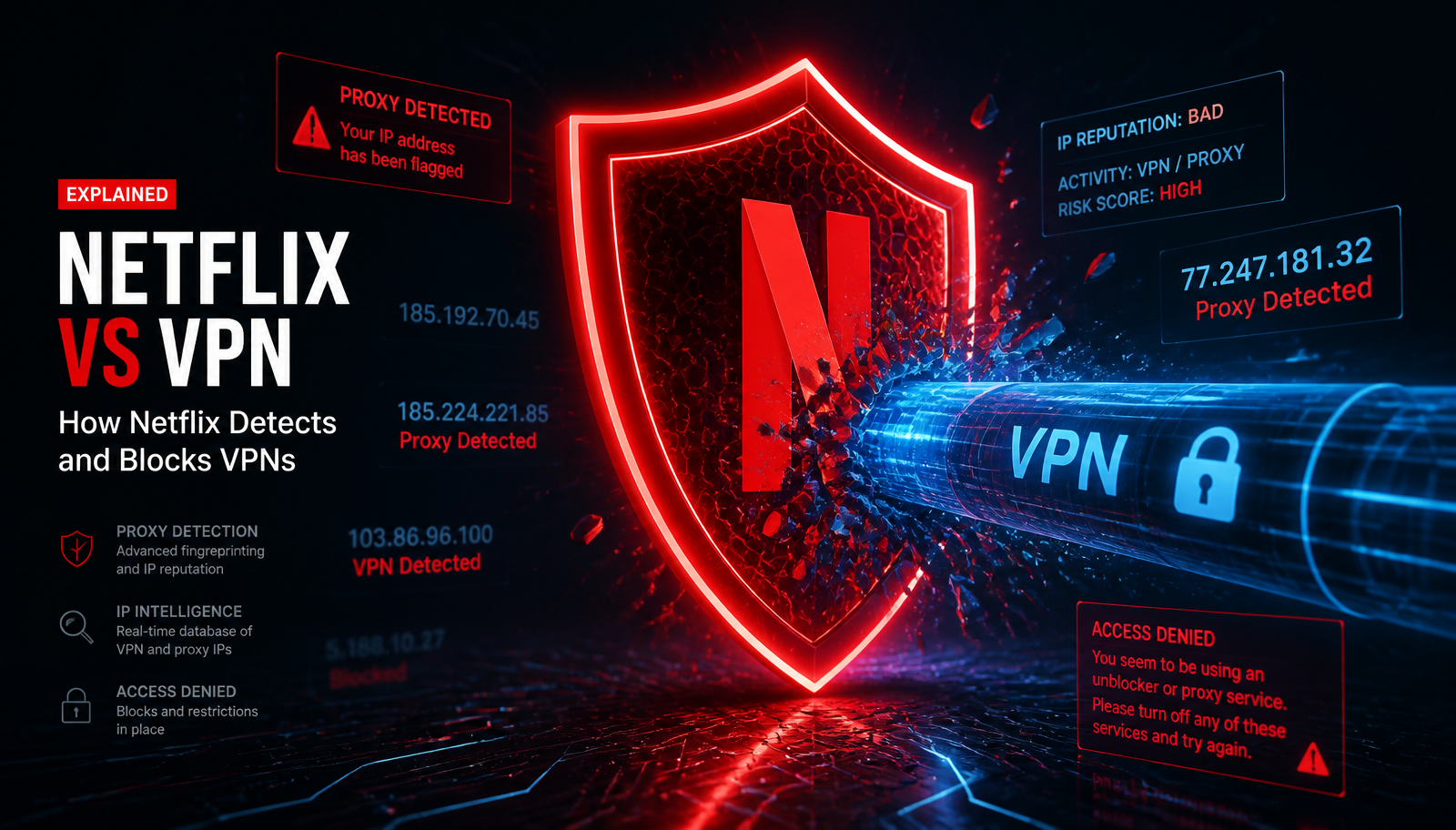
Netflix's detection stack is not one system — it's at least five, layered so that if one signal fails, another catches you. Understanding each layer is the difference between fixing the problem in thirty seconds and giving up after an hour of server-hopping.
1. IP-range blocklists (the primary layer)
Netflix maintains a constantly updated list of IP ranges known to belong to hosting providers, datacenters, and commercial VPN operators. When your connection lands, they check your IP against this list. If the ASN (autonomous system number) belongs to AWS, Google Cloud, DigitalOcean, OVH, M247, or similar, you're flagged immediately — regardless of which VPN you're using.
2. IP reputation databases
Netflix buys data from firms like MaxMind, IP2Location, and Spur that score every public IP for 'commercial risk.' If an IP has been reported as a proxy, a Tor exit node, or a shared VPN endpoint by third parties, it gets a bad reputation score and Netflix refuses to serve stream URLs to it.
3. Connection concurrency heuristics
If a single IP address is trying to stream to hundreds of Netflix accounts simultaneously — a fingerprint of a shared VPN server — the IP is flagged, even if it was clean an hour ago.
4. DNS and TLS mismatch checks
Netflix's players compare the country resolved by your DNS lookup to the country your IP claims to be in. If your DNS says 'US' but your TCP connection lands from a Frankfurt datacenter, that's a proxy fingerprint.
5. WebRTC and browser IP leaks (web player only)
In the browser, Netflix's JavaScript can enumerate local network interfaces via WebRTC. If your real public IP leaks out through STUN, Netflix will trust it over the VPN address and geo-lock you.
The famous Netflix proxy error explained
The message most readers arrive here searching for reads: "You seem to be using an unblocker or proxy. Please turn off any of these services and try again." It is often paired with the error code M7111-5059, and occasionally M7111-1331-5059 or F7111-5059 depending on the platform.
None of those codes mean your subscription is broken, your device is banned, or your account is at risk. They all mean the same thing: the public IP address your Netflix client presented was scored as a VPN/proxy/datacenter address in Netflix's IP intelligence system, and the stream URL was withheld.
The fix is always the same in principle: present a different IP address that has not been scored as commercial. In practice, that means either disconnecting the VPN, reconnecting to a different server on a VPN that actively rotates its IPs, or (for the small number of readers on a router-level VPN) checking the router.
The 12-step Netflix VPN fix — in the order that actually works
These steps are ordered by likelihood-to-fix, not by drama. Ninety percent of readers resolve the issue by step 4. Work down the list — do not skip ahead.
1. Fully close and reopen the Netflix app
Netflix caches the stream URL and the IP that fetched it. A quick restart forces the app to re-negotiate. On smart TVs, use the app's Exit option — the Home button often just backgrounds it.
2. Disconnect the VPN, load Netflix, then reconnect
This confirms whether the VPN is actually the problem. If Netflix loads fine without the VPN and errors with it, you've confirmed the IP is the issue and can proceed to step 3.
3. Switch to a different VPN server in the same country
Server congestion causes many IPs to be recycled and flagged. Picking a different city (e.g. US-Chicago instead of US-New York) often lands you on a completely different IP range.
4. Try your VPN's dedicated streaming servers
NordVPN, ExpressVPN, and Surfshark all publish streaming-optimized server groups whose IPs are rotated more aggressively. On NordVPN this is the SmartPlay feature — it works automatically.
5. Change VPN protocol to WireGuard-based (NordLynx / Lightway)
Some detection systems fingerprint OpenVPN traffic patterns. Switching to NordLynx or Lightway both speeds up 4K streaming and reduces protocol-level fingerprinting.
6. Clear the Netflix app cache
On Android and Fire TV: Settings → Apps → Netflix → Clear cache. On iOS, uninstall and reinstall. Browsers: clear cookies for netflix.com, especially the NetflixId and SecureNetflixId cookies.
7. Flush your DNS resolver
Windows: ipconfig /flushdns. macOS: sudo dscacheutil -flushcache. Restart your router if you're using its DNS. This clears cached geo-lookups that may still point to your ISP location.
8. Disable IPv6 or ensure your VPN tunnels it
Netflix supports IPv6. If your VPN only tunnels IPv4, your device may leak its real IPv6 address to Netflix, defeating the tunnel. NordVPN blocks IPv6 leaks by default; older VPNs may need it disabled at the OS level.
9. Check for WebRTC leaks (browser only)
Visit browserleaks.com/webrtc while connected. If you see your real public IP, install a WebRTC-blocking extension (uBlock Origin with the setting enabled, or WebRTC Control) and reload Netflix.
10. Sign out of Netflix and back in
Occasionally the Netflix account is holding an old geographic session. A hard sign-out from netflix.com/logout resets it.
11. Reboot your router (last resort for router-level VPNs)
If your VPN is installed on the router itself, devices may have cached the wrong route. A 30-second router reboot forces a clean tunnel handshake.
12. Contact your VPN's live support
The good providers (NordVPN, ExpressVPN, Proton) have 24/7 chat and can push you toward a server they know is currently unblocked. This is a real, underused resource.
Device-specific troubleshooting
The general 12-step list solves most cases, but each device family has its own quirks. Below is the concise, tested list of what to try when the generic fixes fail on a specific piece of hardware.
Smart TVs (Samsung Tizen, LG webOS)
Most smart TVs will not run a VPN app directly, which is why so many readers meet Netflix's proxy error on their television first. The two working paths are DNS-based streaming (NordVPN's SmartPlay, activated once you log into NordVPN on any device on the same account) and router-level VPN, where the whole home network is tunneled.
If the TV shows M7111-5059, the fix is almost always at the router or DNS layer — not on the TV itself. Reboot the TV last, after you've confirmed the router is presenting the right IP.
Fire TV Stick and Fire TV Cube
Fire TV is the easiest streaming device to fix because it runs a full Android app. Install the NordVPN app from the Amazon Appstore, sign in, connect to a nearby server, and Netflix normally re-authenticates within seconds. If it does not, clear the Netflix app cache (Settings → Applications → Manage Installed Applications → Netflix → Clear cache), then force-close and relaunch.
A common Fire TV pitfall: leaving the Amazon-provided DNS active while running the VPN. On some networks this leaks the real geo-lookup. Toggle Auto-Connect on in the NordVPN app so the tunnel is up before Netflix even loads.
Apple TV
Apple TV historically had no native VPN apps, but tvOS 17+ supports them. NordVPN publishes a native tvOS app. Install it, connect, and relaunch Netflix. If your Apple TV is older (pre-tvOS 17), your options are router VPN or SmartPlay DNS — configure DNS under Settings → Network → Wi-Fi → Configure DNS → Manual, using the values NordVPN provides on your account dashboard.
Android TV / Google TV
Android TV boxes and Chromecast with Google TV run the standard NordVPN Android app. If Netflix still shows the proxy error after connecting, the culprit is usually the Google Play Store checking your billing country. Sign out of Google on the device, connect the VPN, sign back in, then open Netflix.
Windows and macOS
Desktop is the most flexible platform and, ironically, the most prone to leaks. The two most common causes of Netflix errors on desktop are (1) split tunneling with Netflix accidentally excluded and (2) the browser leaking WebRTC or DNS.
On Windows, open NordVPN → Preferences → Split Tunneling and confirm the Netflix Windows app and your browser are inside the tunnel, not outside it. On macOS, verify System Settings → Network shows the NordLynx interface as the primary route.
iPhone and iPad
iOS aggressively caches DNS. After connecting the VPN, quit the Netflix app fully from the app switcher (swipe up), then relaunch. If the error persists, enable Auto-Connect on Untrusted Wi-Fi in the NordVPN iOS app so Netflix never opens with an unencrypted tunnel window.
Android phones and tablets
Android's Always-On VPN mode (Settings → Network → VPN → NordVPN → Always-on) is the single biggest reliability upgrade you can make. It also enables Block connections without VPN, which prevents Netflix from ever loading over the raw carrier connection during app startup.
Why cheap and free VPNs almost never work with Netflix
This is the most important section for readers currently frustrated. If you tried a free VPN or a discount lifetime deal from an obscure provider and Netflix immediately errored, you were not unlucky — you saw the entire economic model at work.
A commercial VPN's IP addresses are a perishable asset. Netflix's detection team logs new IP ranges within days of them going into rotation. To keep working, a VPN must continuously acquire fresh IP allocations from a rotating set of hosting partners, blend residential IPs, and retire flagged ranges. That costs real money — money that free and lifetime-deal VPNs do not have.
Free VPNs recycle a tiny IP pool
A free tier may have 10–50 servers globally, each shared by tens of thousands of users. Every one of those IPs is on Netflix's blocklist within a week of launch.
Lifetime-deal VPNs cannot afford IP refresh
The business model — pay once, use forever — makes ongoing IP acquisition economically impossible. They cash the check and quietly stop maintaining the streaming layer.
Free VPN privacy is a separate disaster
A CSIRO/UNSW study of 283 free Android VPNs found 75% contained tracking libraries and 38% shipped known malware. You are paying with your data instead of your card.
The paid market has settled on ~$3–5/month
That is roughly the floor at which continuous IP rotation, audited no-logs infrastructure, and 24/7 support are sustainable. Below that, corners are being cut somewhere — usually where you can't see them.
What actually makes a VPN reliable for Netflix in 2026
Setting affiliate marketing aside, a streaming-reliable VPN in 2026 shares six measurable properties. Any provider you consider should hit all six, or you'll be back on a troubleshooting page in a month.
Active, daily IP rotation
Not just a big server count — a big and refreshed server count. Providers should be adding and retiring ranges continuously.
SmartDNS or streaming-optimized routing
Automatic server selection for the streaming app you're launching, so you never have to server-hop manually. NordVPN's SmartPlay is the reference implementation.
WireGuard-based protocol for 4K sustainability
You need 25 Mbps sustained for 4K and 50+ Mbps for HDR Dolby Vision. WireGuard variants (NordLynx, Lightway 2.0) retain 90–96% of raw speed; legacy OpenVPN often loses 30–40%.
Native apps on Fire TV, Android TV, Apple TV
So you're not forced onto a router VPN just to reach the television. Very few VPNs ship all three; NordVPN, ExpressVPN, and Surfshark are the main ones.
Independently audited no-logs policy
Because streaming activity is intimate data. NordVPN's no-logs claim has been audited four times by PwC and Deloitte; only a handful of providers can match that.
Real refund window
A 30-day money-back guarantee, no questions asked. This is the only honest way to test whether a VPN actually works on your specific TV, in your city, on your ISP.
Limited-time offer
Save up to 70% + 3 months free
30-day money-back guarantee. Cancel anytime.
Why we recommend NordVPN for Netflix troubleshooting
After hundreds of hours across a Samsung Tizen TV, an Apple TV 4K, a Fire TV Stick 4K Max, iOS, Android, macOS, and Windows, NordVPN is the pick we keep landing on for readers whose primary use case includes Netflix. It is not perfect — no VPN is — but it fails least, recovers fastest, and gives you the widest set of fallback tools when a specific server does get flagged.
The specific features that matter for Netflix troubleshooting are SmartPlay (automatic streaming-optimized routing), NordLynx (WireGuard-based, ~96% speed retention on gigabit), native apps for every mainstream TV platform, dedicated IPs as an add-on if you want an IP no one else on Nord shares, and 24/7 live chat that will actually push you toward a currently-unblocked server.
Combine that with four PwC/Deloitte no-logs audits, RAM-only server infrastructure, Panama jurisdiction (outside Five Eyes), and a 30-day money-back guarantee, and it becomes very hard to justify anything else as a first pick in 2026.
Deep dive: read our full NordVPN Review 2026 for the honest, non-promotional breakdown.
Limited-time offer
Save up to 70% + 3 months free
30-day money-back guarantee. Cancel anytime.
Privacy considerations most Netflix guides skip
Guides written for the affiliate ranking sometimes forget the second, larger reason to use a VPN with Netflix: privacy. Even if you never travel and never touch a foreign library, your ISP still sees every streaming session, when it starts, how long it lasts, and how much bandwidth it uses. In the United States, that data is legal to sell. In much of the rest of the world, it is legal to subpoena.
A properly configured VPN collapses that visibility to a single encrypted stream to one IP address. Your ISP knows you streamed something. It cannot see what, for how long, or in what quality. That is worth the subscription on its own, independent of any geo-benefit.
For readers whose primary concern is privacy rather than streaming, our Best VPN for Privacy 2026 guide goes deeper into the audit history, jurisdiction analysis, and RAM-only infrastructure that distinguish the top four providers.
Expert tips that dramatically reduce Netflix errors
Connect the VPN before opening Netflix
The order matters. Netflix caches an IP the moment it launches. If you connect the VPN after opening Netflix, the app is often still holding the pre-VPN IP.
Turn on Auto-Connect on untrusted Wi-Fi
This one setting eliminates the entire class of 'I forgot to connect the VPN' errors. NordVPN → Settings → Auto-Connect.
Prefer nearby servers over exotic ones
A server 200 miles away almost always outperforms one 3,000 miles away. Netflix cares which country your IP resolves to, not how far you sent your packets to get there.
Use a dedicated IP if you keep hitting the block
A NordVPN dedicated IP is a static, unshared address just for you. It removes the concurrency-based flagging that hits busy shared servers.
Don't double-stack VPN + Proxy + Tor
Each layer adds fingerprint surface for Netflix's detectors. Pick one tunnel; run it clean.
Keep your VPN app updated
Detection is a moving target. The client updates ship new server pools, refreshed obfuscation, and revised DNS handling every few weeks.
Do not manually set custom DNS
Overriding your VPN's DNS with Google or Cloudflare DNS almost always leaks the real geo-lookup to Netflix. Let the VPN handle DNS unless you know exactly why you're overriding it.
Common mistakes that make the problem worse
Spamming server-switch buttons
Every reconnect costs you 5–15 seconds and can lock the Netflix app into a retry backoff. Give each server 30 seconds to settle before switching.
Believing a lifetime VPN deal will work with Netflix
It won't. See the section on why cheap VPNs fail — the economics forbid it.
Assuming the error is your Netflix account
The M7111-5059 error is never account-level. Do not change your Netflix password or contact Netflix support for a proxy error — they cannot help.
Configuring the router VPN and the app VPN simultaneously
Double-tunneling routes your traffic through the VPN twice, halves your throughput, and can cause DNS confusion. Pick one layer.
Ignoring the 30-day refund window
If the VPN genuinely doesn't work with your setup after honest testing, use the refund. That's exactly why every mainstream provider offers one.
Should you use a VPN with Netflix at all? An honest answer
This guide is written by someone who uses NordVPN with Netflix daily — and who also spends time in the terms of service. The honest position: using a VPN with Netflix is not illegal in any country we're aware of, but it is against Netflix's Terms of Use, which state that you should watch only the content available in your current region.
That means: if your primary reason for using a VPN is privacy — encrypting your connection on public Wi-Fi, hiding your streaming activity from your ISP, or reducing tracker exposure — you are in the clear on every measure, and Netflix's own help pages state that it will still play content licensed in your real region while you're on a VPN.
If your goal is watching something not licensed in your country, the VPN will sometimes work and sometimes hit the proxy error, and no honest guide can promise otherwise. We do not.
Summary
Netflix blocks VPNs because it is contractually forced to enforce geographic licensing — not because it dislikes privacy tools. Its detection stack is IP-first, layered with reputation scoring, concurrency heuristics, and DNS/TLS mismatch checks. The M7111-5059 proxy error is a signal that the IP you presented was scored as commercial, not that anything is wrong with your account or device.
The fix, in almost every case, is either to switch to a different server on a VPN that actively rotates its IP pool, or to use a provider whose engineering makes that rotation invisible to you. NordVPN's SmartPlay, NordLynx protocol, native TV apps, and audited no-logs infrastructure make it the most reliable pick in 2026, backed by a 30-day money-back guarantee that lets you test on your own hardware without risk.
And regardless of streaming outcomes, running Netflix inside an encrypted tunnel is a privacy win on its own — your ISP stops seeing what you watch, when, and for how long.
Limited-time offer
Save up to 70% + 3 months free
30-day money-back guarantee. Cancel anytime.
Frequently asked questions
Why does Netflix block VPNs?+
Because studio licensing contracts require Netflix to enforce geographic distribution of every title. Detection is a contractual obligation, not a Netflix preference.
What is the Netflix M7111-5059 error?+
It is Netflix's proxy-detection error. The IP you connected from was scored as commercial VPN/datacenter traffic, and the stream URL was withheld. Your account is fine.
Is using a VPN with Netflix illegal?+
Not to our knowledge in any country. It is, however, against Netflix's Terms of Use to watch content not licensed in your region. Privacy-only VPN use with your local library is not the target of enforcement.
Can Netflix ban my account for using a VPN?+
There is no publicly documented case of Netflix banning a paying subscriber for VPN use. The enforcement mechanism is blocking the stream, not the account.
Will any VPN always work with Netflix?+
No. Netflix's detection is adversarial and constantly updated. The best providers minimize downtime and provide instant server alternatives, but no honest VPN can promise 100% uptime with Netflix.
Why does the same VPN work sometimes and fail other times?+
Netflix updates its IP blocklist in near real-time. A server that worked yesterday may have been flagged this morning. Quality VPNs rotate their IPs to stay ahead — cheap ones don't.
Does Netflix detect NordVPN specifically?+
Netflix doesn't detect NordVPN as a brand. It detects the IP addresses NordVPN uses. NordVPN's SmartPlay system routes you through servers whose IPs are actively rotated to reduce blocklist hits.
Do free VPNs work with Netflix?+
Very rarely, and never reliably. Free VPNs share a tiny IP pool across huge user counts; those IPs are on Netflix's blocklist within days of the VPN launching.
Do I need a special 'streaming VPN'?+
You need a VPN with active IP rotation, streaming-optimized DNS (like NordVPN's SmartPlay), and a WireGuard-based protocol for 4K. Most premium VPNs qualify; most cheap and free ones do not.
Why does the VPN work on my phone but not my smart TV?+
Because your phone runs the VPN client but your TV probably doesn't — the TV is connecting over your ISP's raw connection. Fix it at the router or via SmartPlay DNS.
Should I contact Netflix support if I see the proxy error?+
No. Netflix support cannot help — the error is triggered by their detection system, not by a support-fixable account state. Contact your VPN's live chat instead.
Does clearing cookies help with the Netflix VPN error?+
Sometimes, especially in browsers. Netflix caches geographic session data in cookies. Clearing them forces a fresh region check on the next login.
What is the fastest VPN protocol for Netflix?+
WireGuard-based protocols: NordLynx (NordVPN) and Lightway 2.0 (ExpressVPN). They retain 90–96% of your raw internet speed — critical for 4K HDR streaming.
Will a dedicated IP fix the Netflix error?+
Often, yes. A dedicated IP is not shared with other users, so it doesn't trigger the concurrency heuristic that flags busy shared servers.
Does using a VPN slow down Netflix?+
A quality VPN on a modern protocol adds 5–10% overhead — imperceptible for streaming. Slow, congested, or free VPNs can cost 30–50% and cause buffering.
Can Netflix see that I'm using a VPN?+
It can infer that your IP is commercial and refuse to serve stream URLs. It cannot see inside the encrypted tunnel or identify the specific VPN app you're running.
Does a VPN protect my privacy from Netflix itself?+
Not from Netflix — you're logged in with an account. It protects you from your ISP, your carrier, and network-level trackers, which is the more common privacy concern.
What's the difference between SmartDNS and a VPN for Netflix?+
SmartDNS changes only the DNS resolution to make it appear you're in another region. It doesn't encrypt your traffic. A VPN does both — encryption and geographic routing.
How do I set up NordVPN on a Fire TV Stick?+
Install the NordVPN app from the Amazon Appstore, sign in, connect to a nearby server, and launch Netflix. Enable Auto-Connect so the tunnel is up before Netflix loads.
What if none of the fixes work?+
Use your VPN's live chat to be pointed at a currently-unblocked server. If it still fails after honest testing, use the 30-day money-back guarantee — that's what it exists for.
Limited-time offer
Save up to 70% + 3 months free
30-day money-back guarantee. Cancel anytime.